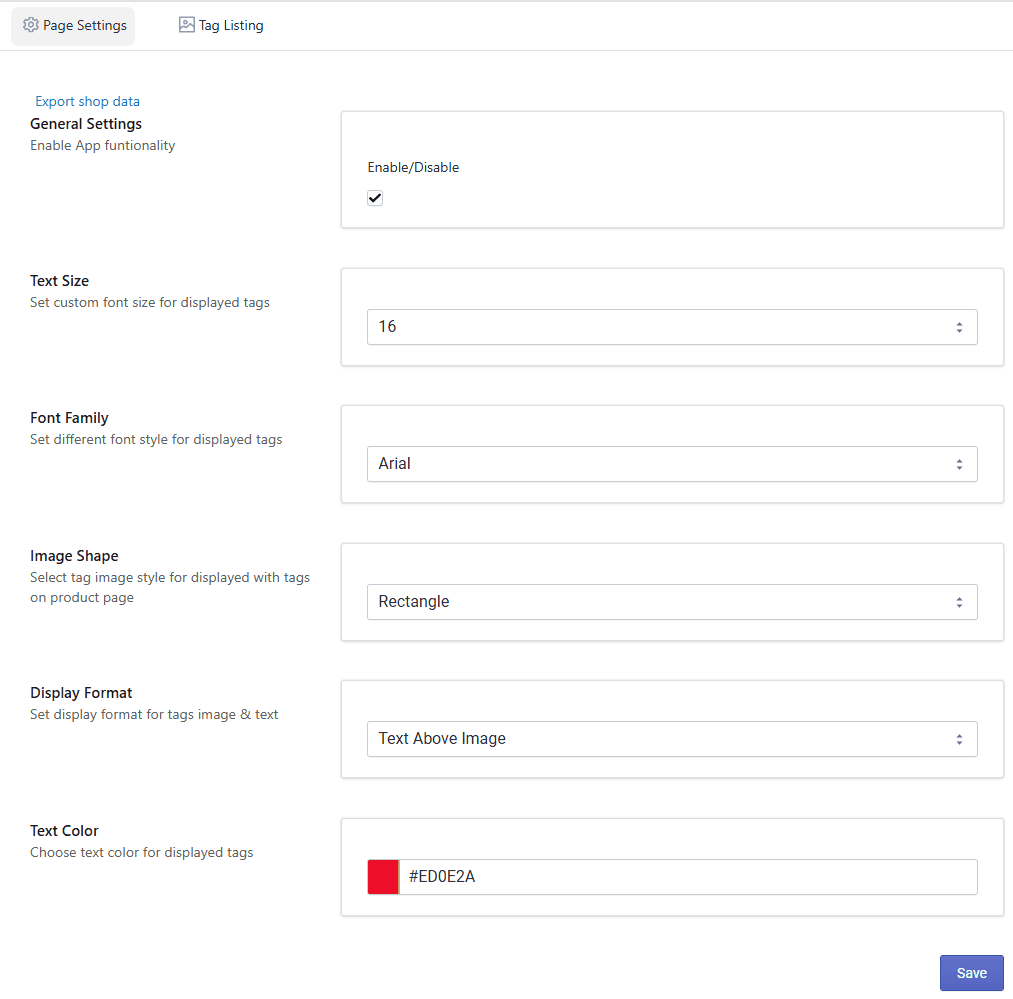
Step 1: Configure Page Settings
In this step, you can enable the app and customize how tag icons appear on your store.
Access Settings
- Open your Shopify Admin.
- Go to Apps.
- Select the Product Tags Icons App.
- Click on App Configuration.
Enable App
Turn ON to activate the app functionality on your store.
Customize Font, Text & Colors You can customize the appearance of tag icons:
- Text color
- Background colors
- Icon/image shapes
- Display format
This helps match the tags with your store design.
Upload Tags Image Upload icons/images for your product tags.
- Assign icons to specific tags
- Icons will be displayed on selected products
Save Settings After making changes, click Save to apply them.