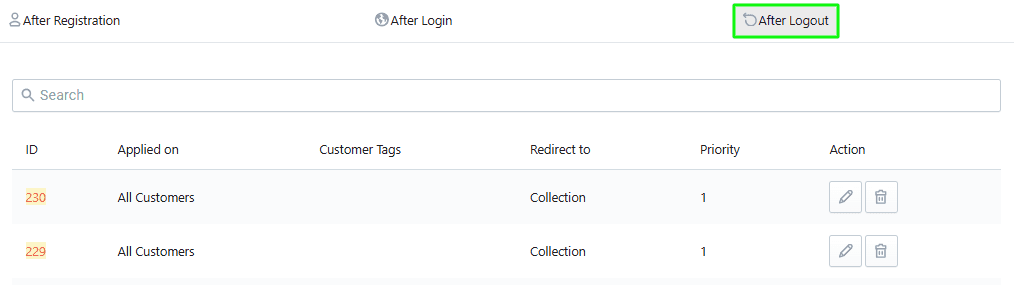
Step 2: How to Create Rules
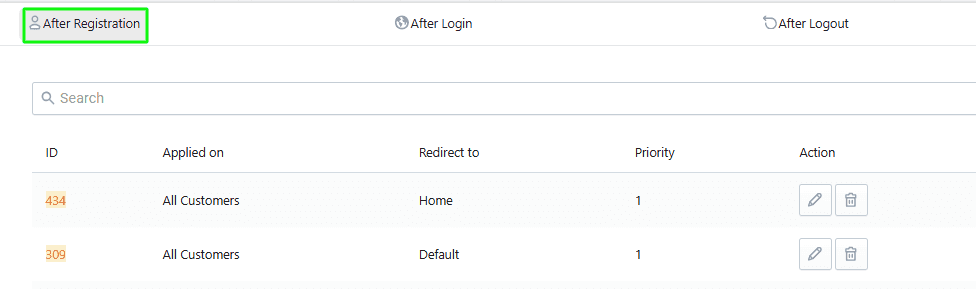
Redirect After Registration
Set where customers should be redirected after they register.
Steps:
- Click on the After Registration tab.
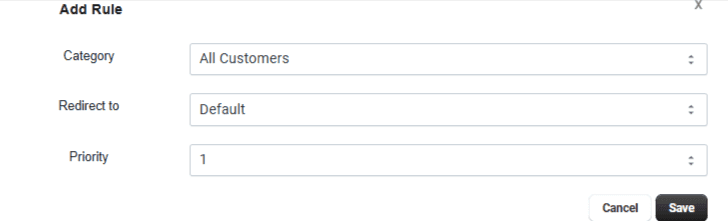
- Click Add Rule.
- Configure Rule:
- Apply On – Select All Customers
- Redirect To – Choose destination: Default, Home Page, Product (select product), Collection (select collection), Page (select page), Last Visited Page
- Priority – Set rule priority (1 = highest)
- Click Save.
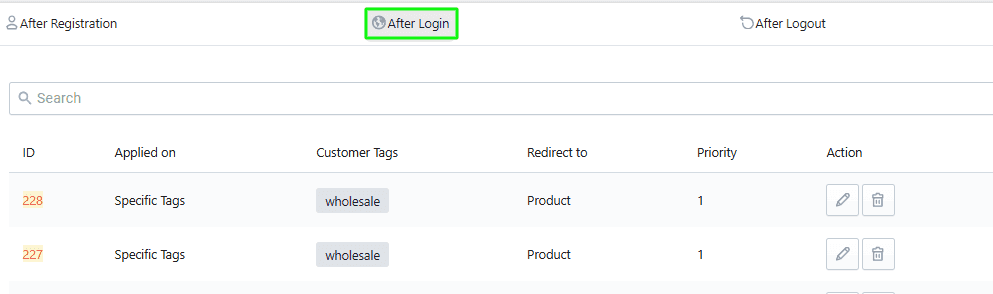
Redirect After Login
Set redirection after customer login.
Steps:
- Click on the After Login tab.
- Click Add Rule.
- Configure Rule:
- Apply On – Select All Customers
- Redirect To – Choose destination: Default. Home Page, Product, Collection, Page, Last Visited Page
- Priority – Set priority (1 = highest)
- Click Save.
Redirect After Logout
Set redirection after customer logout.
Steps:
- Click on the After Logout tab.
- Click Add Rule.
- Configure Rule:
- Apply On – Select All Customers
- Redirect To – Choose destination: Default, Home Page, Product, Collection, Page, Last Visited Page
- Priority – Set priority (1 = highest)
- Click Save.