Step 1: How To Configure App "General Settings
App Settings
Activate App
Enable the core functionality of the app to start displaying individual product variants across your storefront.
- Enable Toggle: Switch this on to activate the app’s script and start splitting your variants on collection pages.
- Variant Label Format: Customize how the product title and variant options are displayed to customers.
Example: Selecting Product Title - Color will dynamically update your product card headings (e.g., “Classic T-Shirt - Blue”).
Show Variants on Search Page Results
Extend the app’s functionality beyond standard collection pages to cover your store’s built-in search engine.
-
Enable Toggle: Turn this option on to automatically split and display individual product variants whenever a customer uses your store’s search bar. This ensures a consistent browsing experience and maximizes product visibility.
-
Show variants on featured collections: here you can enable and select the featured collection for display variants as a separate product on the homepage.
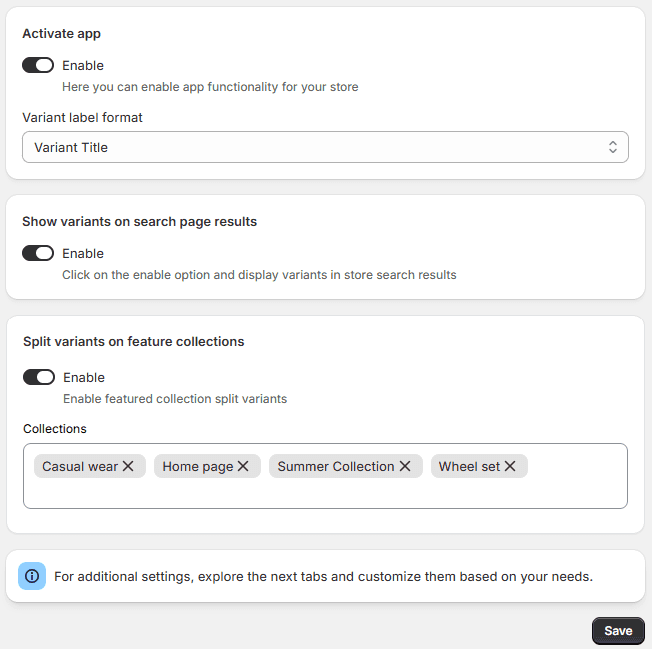
Save Button: Click to instantly apply your out-of-stock styling changes to your live store.
