Extendons Animated Login App – User Guide
This guide will help you install, configure, and customize your login, signup, and forgot password pages using the app.
Install the App To get started, you need to install the app on your Shopify store.
Steps:
- Go to your Shopify Admin.
- Navigate to the Apps Store.
- Search for Extendons Animated Login App.
- Click on the app.
- Click Add App to install it on your store.
Once installed, the app will be available in your Apps section.
Step 1: Configure Settings
After installation, you can customize the appearance of login-related pages.
Access Settings
- Open the app from your Apps section.
- Click on the Settings tab.
- Available Settings
These settings apply to the Login, Signup, and Forgot Password forms.
Enable App
Turn this option ON to activate the app functionality.
-
Enabled: custom styles and templates will be applied.
-
Disabled: default Shopify forms will be shown.
-
Hide Form: This option allows you to hide default forms.
Hide Login Form Hide Signup Form Hide Forgot Password Form
Useful when you want to replace default forms with custom templates.
-
Select Background Color: Choose a background color for the forms.
-
Select Button Color: Set the color for form buttons.
-
Select Forms / Pages: Choose where you want to apply the settings:
Login Page Signup Page Forgot Password Page
This allows you to customize each page individually.
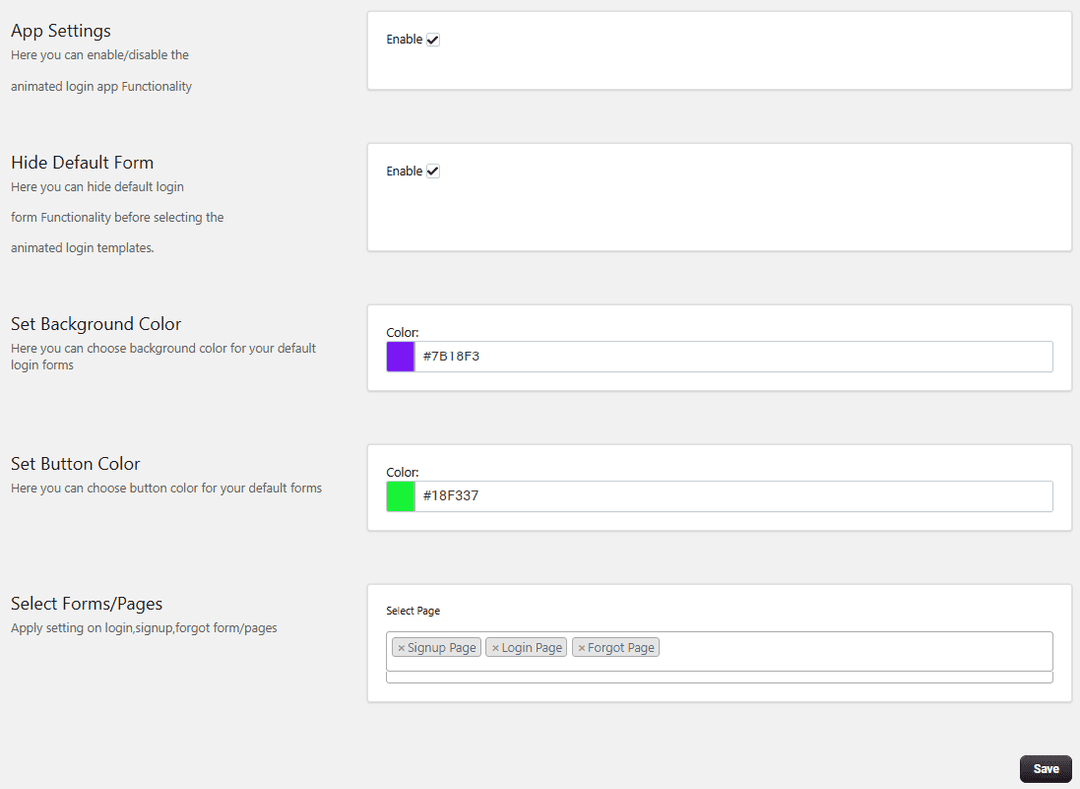
- Save Settings: After making changes, click Save to apply them.
Step 2: Create and Customize Rules
You can create custom templates to enhance the design and functionality of your forms.
Create a New Rule
-
Go to the Rules section.
-
Click on Add Rule.
-
Rule Settings
-
Enable / Disable: Turn the rule ON to activate it.
-
Select Template: Choose a template from the dropdown. Templates define the layout and design of your forms
-
Select Template Page: Choose which page you want to apply the template to:
-
Login Page
-
Signup Page
-
Forgot Password Page
-
Customize Template Pages
After selecting a template, you can customize each page:
- Modify layout and design
- Adjust colors and styling
- Improve user experience
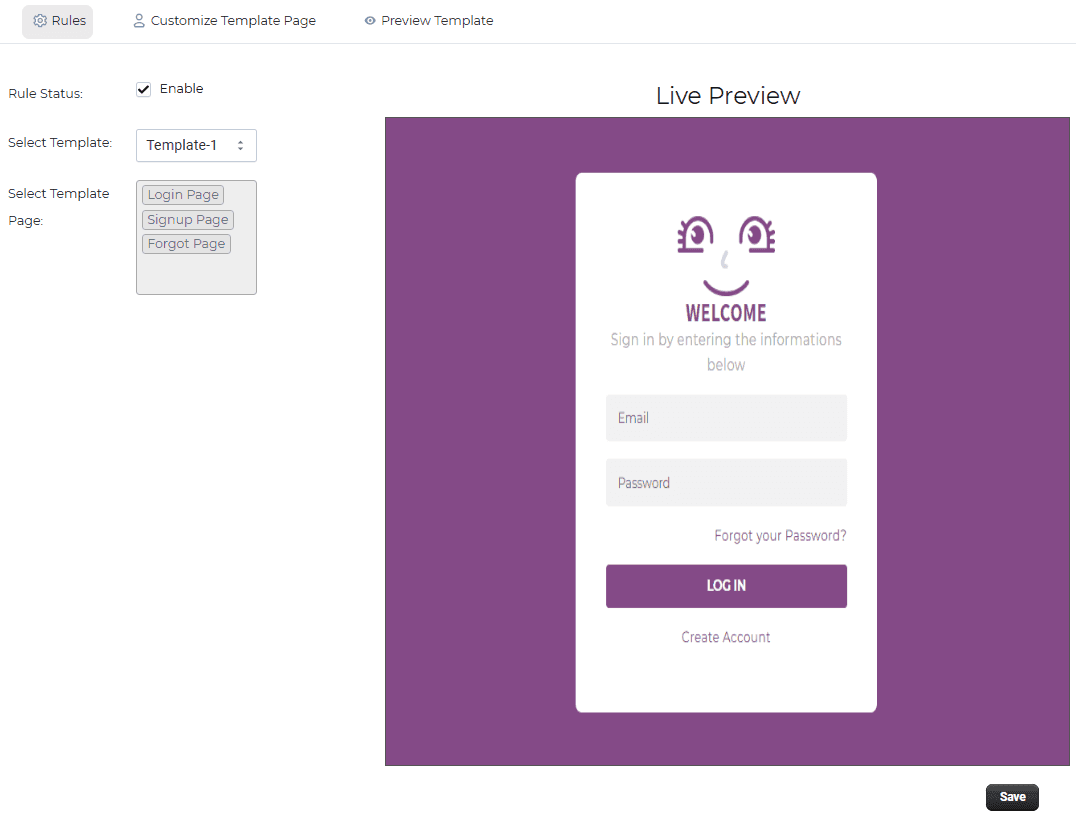
This allows you to create visually appealing and user-friendly forms.
Step 3: Enable App Embed (For Shopify 2.0)
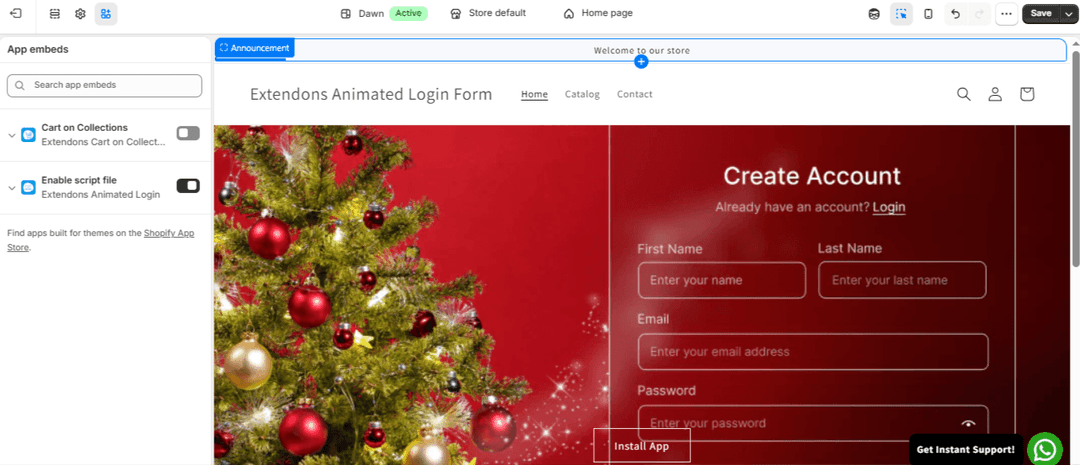
To apply the app on your storefront, you need to enable it in your theme settings.
Steps:
- Go to Shopify Admin.
- Navigate to Online Store → Themes.
- Click Customize.
- Open Theme Settings → App Embeds.
- Find Extendons Animated Login App.
- Toggle it ON. Click Save.
Setup Complete You have successfully:
- Installed the app
- Customized login, signup, and forgot password forms
- Created and applied templates
- Enabled the app on your theme
Your store now has a more engaging and visually enhanced login experience.
