Create and Customize Templates (Rules)
You can create custom templates to enhance the design and functionality of your forms.
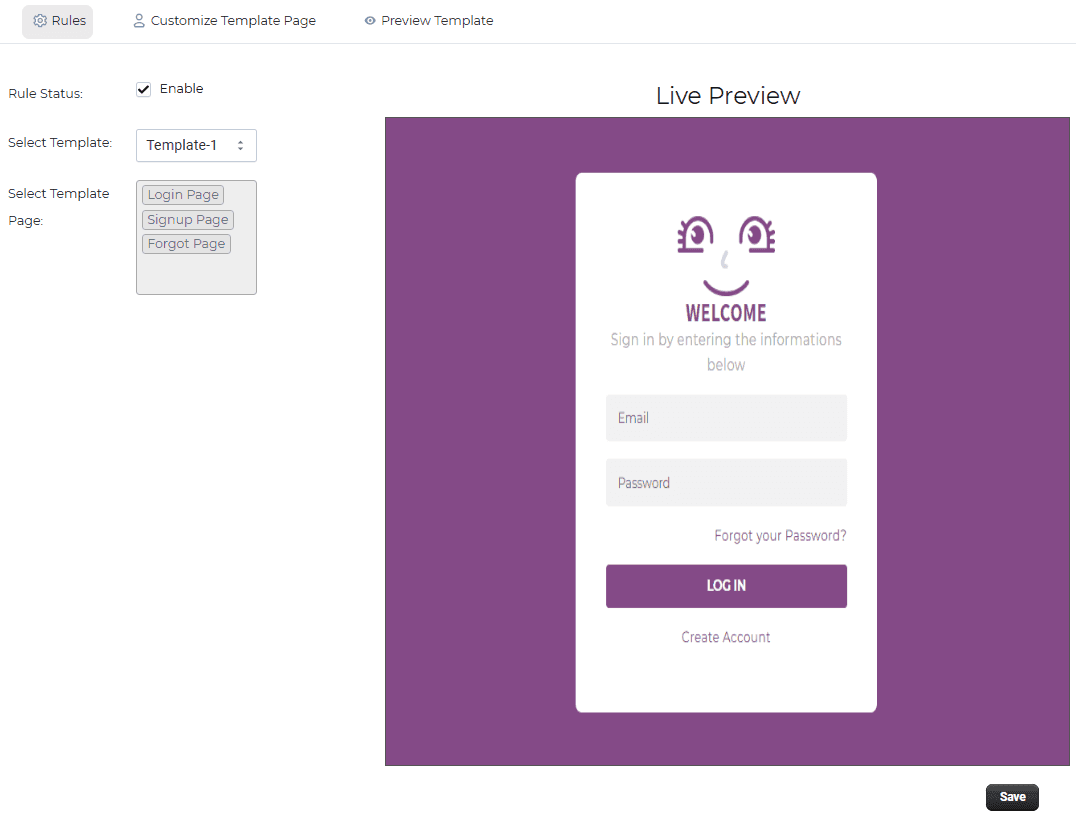
Create a New Rule Go to the Rules section. Click on Add Rule. Rule Settings Enable / Disable
Turn the rule ON to activate it.
Select Template
Choose a template from the dropdown. Templates define the layout and design of your forms Select Template Page Choose which page you want to apply the template to:
- Login Page
- Signup Page
- Forgot Password Page
- Customize Template Pages
After selecting a template, you can customize each page:
- Modify layout and design
- Adjust colors and styling
- Improve user experience
This allows you to create visually appealing and user-friendly forms.
