Step 3. Customize WhatsApp Chat Widget
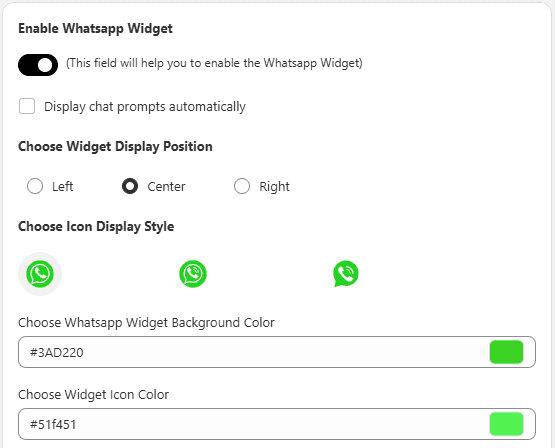
You can configure the floating WhatsApp chat icon and chat window.
Available Options:
- Enable/Disable WhatsApp widget
- Auto display chat prompts
- Select widget position on screen
- Customize: Background color Text color Icon color
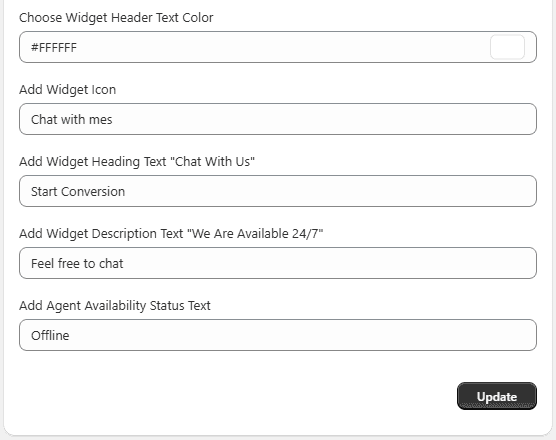 This helps match the widget with your store branding.
Step 4. Customize WhatsApp Button Settings
Customize how the WhatsApp button appears across your store.
Options Include:
- Button label text
- Button style
- Background color
- Text color
- Collection page button label
- Button shape
These settings ensure consistent branding across all pages.