Step 1. Configure App – General Settings
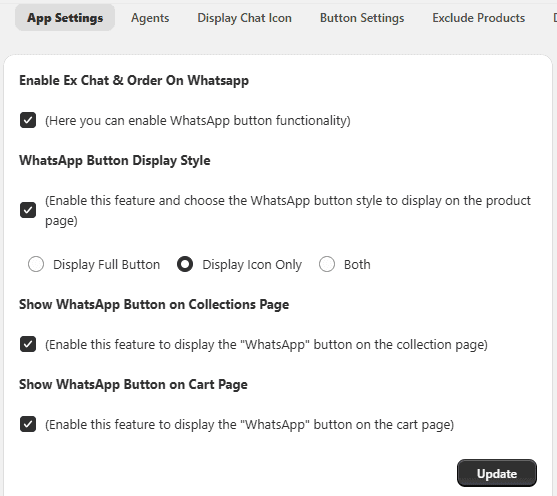
The General Settings section allows you to control how the WhatsApp button appears across your store.
Access General Settings Open your Shopify Admin → Apps → Select the WhatsApp Chat & Order App → Click on App Configuration → Configure the following options → Save.
Enable App
Turn ON to activate WhatsApp functionality on your store.
WhatsApp Button Display Style Choose how the WhatsApp button appears on the product page:
- Icon only
- Button only
- Both icon and button
Show Button on Collection Page Enable to display the WhatsApp button on collection pages.
Show Button on Cart Page Enable to display the WhatsApp button on the cart page.