Configure App – General Settings
The General Settings section allows you to manage core app functionality, contact form behavior, and button styling.
Access General Settings
- Go to Shopify Admin
- Apps → Select the Add to Quote & Hide Price App
- Click on App Configuration
- Configure the following options
- Save.
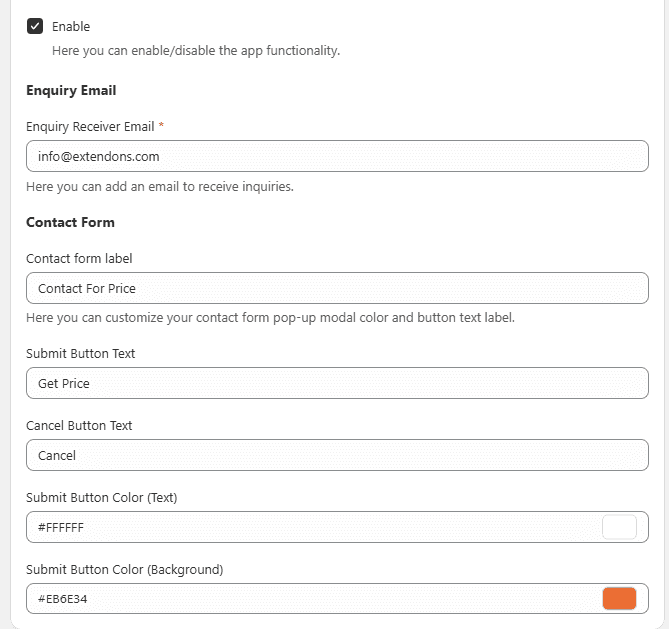
Enable or disable the app functionality.
Enabled – Activates all app features
Disabled – App will not be visible on the storefront
Email Configuration
- Enter the email address where enquiry messages will be received.
- Example: info@example.com
Contact Form
- Customize the contact form fields and layout.
- All changes will reflect on the popup form shown to customers.
Contact Form Label
- Enter a custom label (e.g., Ask for Quote).
- This will appear as the heading of the contact form popup.
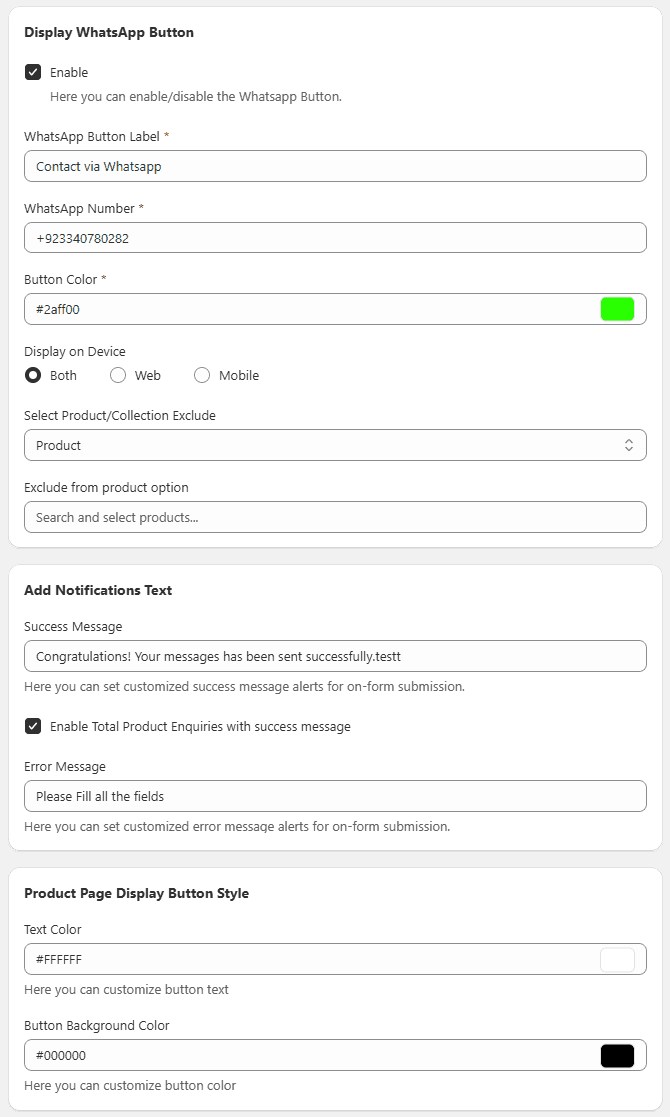
Product Page Button Style
Customize the button displayed on product pages.
- Edit button text
- Select button color
Notification Message
- Add a custom success message shown after form submission.
- Example: Message sent successfully
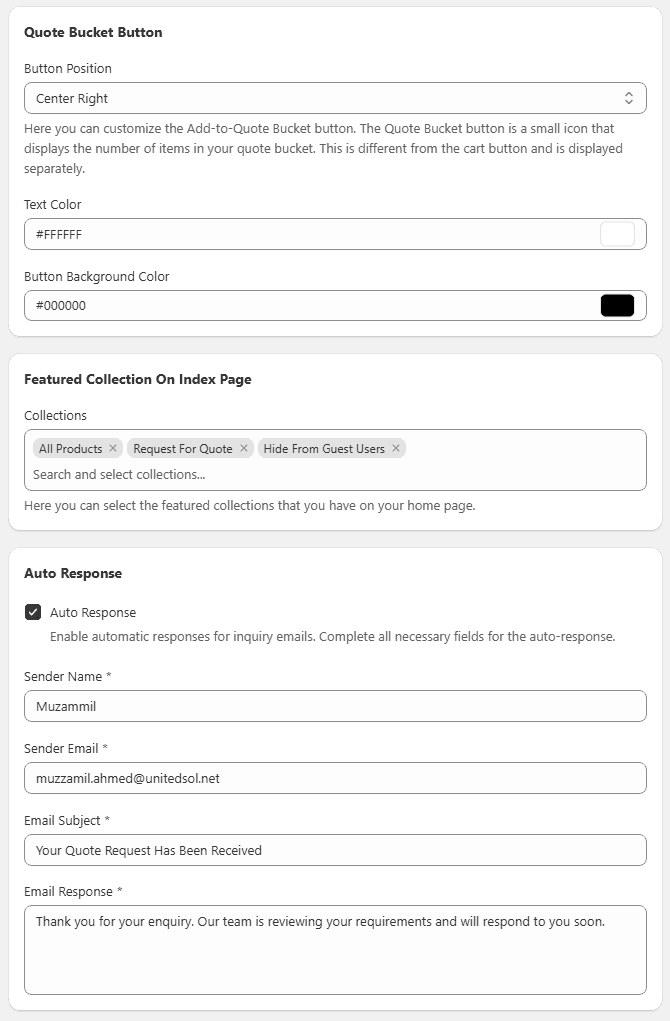
Quote Bucket Button
Displays a small icon showing the number of items added for quote.
- Works separately from the cart
- Helps users manage quote requests easily
Auto Response
Enable automatic replies for customer enquiries.
- Set sender name and email
- Customize response message
Featured Collection on Homepage
Select collections to display on the homepage.
- Helps highlight important products
- Improves visibility and engagement