Cart Customizer App – User Guide
This guide will help you customize the cart edit button, create rules, and enable the app on your Shopify store.
Step 1: Configure Settings
In this step, you can customize the cart edit button and popup actions.
Access Settings
- Open your Shopify Admin.
- Go to Apps.
- Select the Cart Edit Button App.
- Click on the Settings tab.
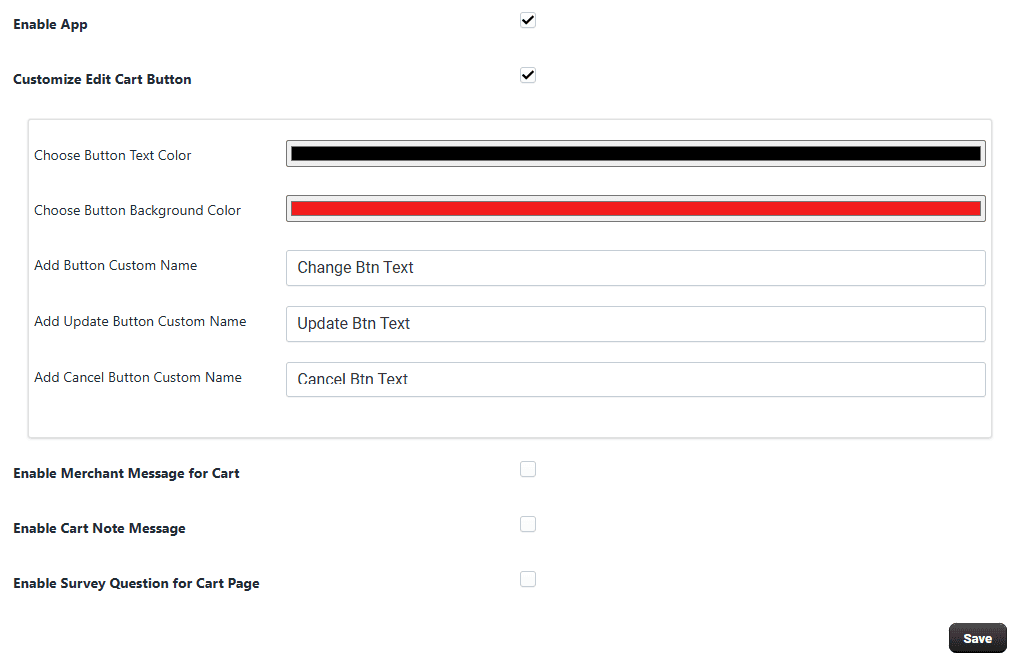
Enable App
Click this option to enable or disable the app functionality.
-
Enabled – Activates the cart edit button on your store
-
Disabled – App features will not be visible
-
Customize Edit Cart Button This section allows you to customize the cart popup button and its actions.
-
Choose Button Text Color Select the color of the button text to match your store design.
-
Choose Button Background Color Choose the background color of the button for better visibility and branding.
-
Add Button Custom Name Set a custom label for the cart edit button. Example: Edit Cart
-
Add Update Button Custom Name Customize the label for the update button in the cart popup. Example: Update
-
Add Cancel Button Custom Name Customize the label for the cancel button. Example: Cancel
-
Save Settings After making changes, click Save to apply your settings.
Step 2: Create and Manage Rules
Rules allow you to control where the cart edit button is displayed.
-
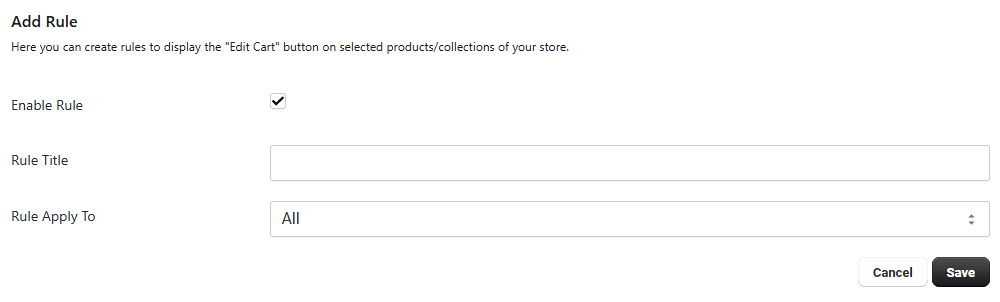
Add a New Rule
Go to the Rules section.
Click on Add Rule.
Rule Settings
-
Enable Rule Turn ON to activate the rule.
-
Rule Title Enter a name to easily identify the rule.
-
Apply On Choose where the rule will be applied:
All Products
Specific Products
Collections
This helps you control button visibility across your store.
-
Update or Edit Rule
Once a rule is created, it will appear in the list.
Click the pencil icon to edit and update the rule at any time.
Step 3: Enable App (Shopify OS 2.0)
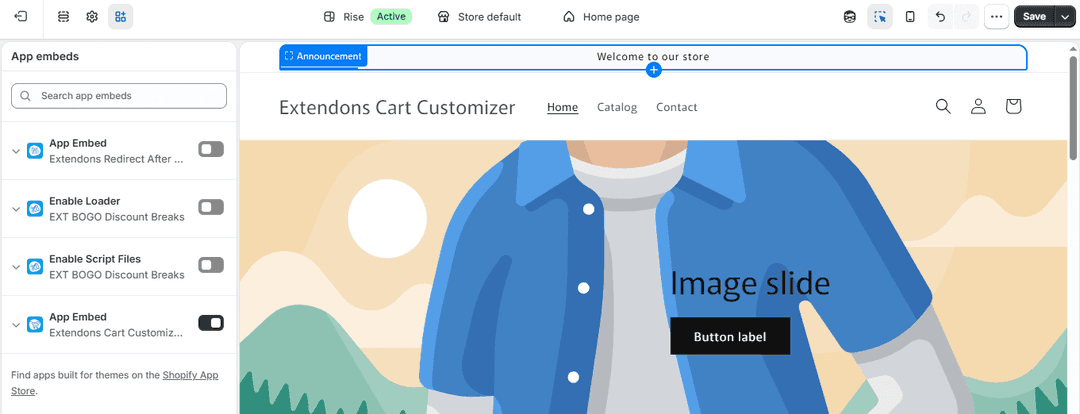
To display the app on your storefront, you need to enable it in your theme.
Steps:
- Go to Shopify Admin.
- Navigate to Online Store → Themes.
- Click Customize.
- Open Theme Settings → App Embeds.
- Find the app.
- Enable the Script Files Button.
- Click Save.
Setup Complete You have successfully:
- Customized cart edit button and popup labels
- Created rules to control where the button appears
- Enabled the app on your store
Your customers can now easily edit their cart with a better and more user-friendly experience.
