Step 3: Enable App (Shopify OS 2.0)
To display the app on your storefront, you need to enable it in your theme.
Steps:
-
Go to Shopify Admin.
-
Navigate to Online Store → Themes.
-
Click Customize.
-
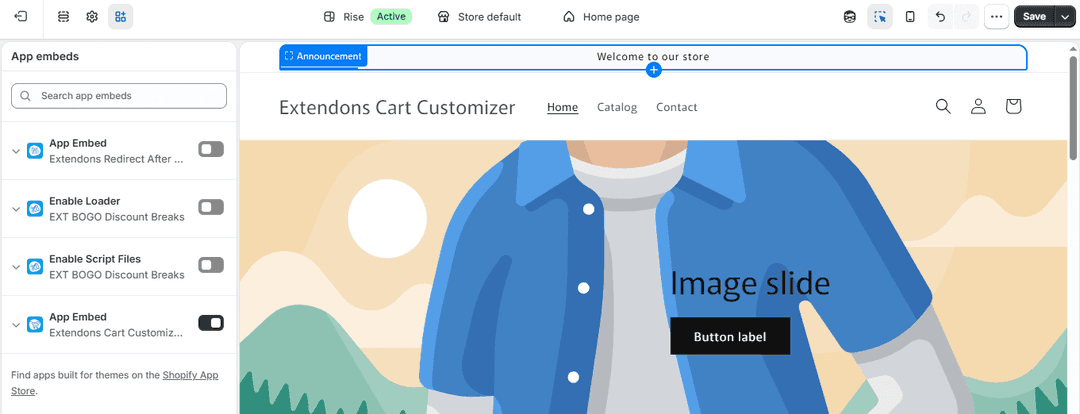
Open Theme Settings → App Embeds.
-
Find the app.
-
Enable the Script Files Button.
-
Click Save.
Setup Complete You have successfully:
- Customized cart edit button and popup labels
- Created rules to control where the button appears
- Enabled the app on your store
Your customers can now easily edit their cart with a better and more user-friendly experience.