Add to Cart on Collections App – User Guide
This guide will help you configure cart functionality on collection pages and customize button styles for a better shopping experience.
Step 1: Configure Cart on Collections
In this step, you can enable the app and control how the Add to Cart button behaves across your store.
Access Settings
- Go to Shopify Admin → Apps
- Open the Add to Cart on Collections App
- Click on Add to Cart on Collections
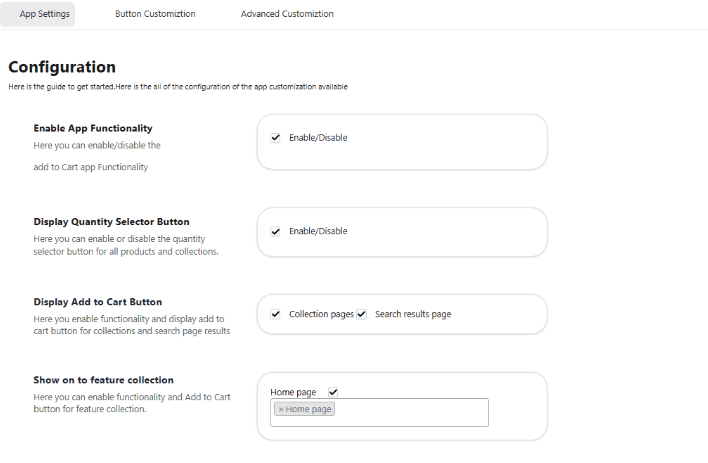
General Settings Enable App Functionality Turn ON to activate the app across your store.
-
Display Quantity Selector Button: Enable to show the quantity selector on product, collection, and other applicable pages.
-
Show Add to Cart on Search Results: Enable to display the Add to Cart button on products shown in search pages.
-
Show Add to Cart on Featured Collections: Enable to display the button on homepage featured collections.
-
Add to Cart Button Animation: Enable animations and control button placement to improve user engagement.
-
Display Sold Out Button: Show a Sold Out button for unavailable products. You can customize its text and background color.
-
Display Variants on Collection Pages: Enable to show product variants (e.g., size, color) along with the Add to Cart button.
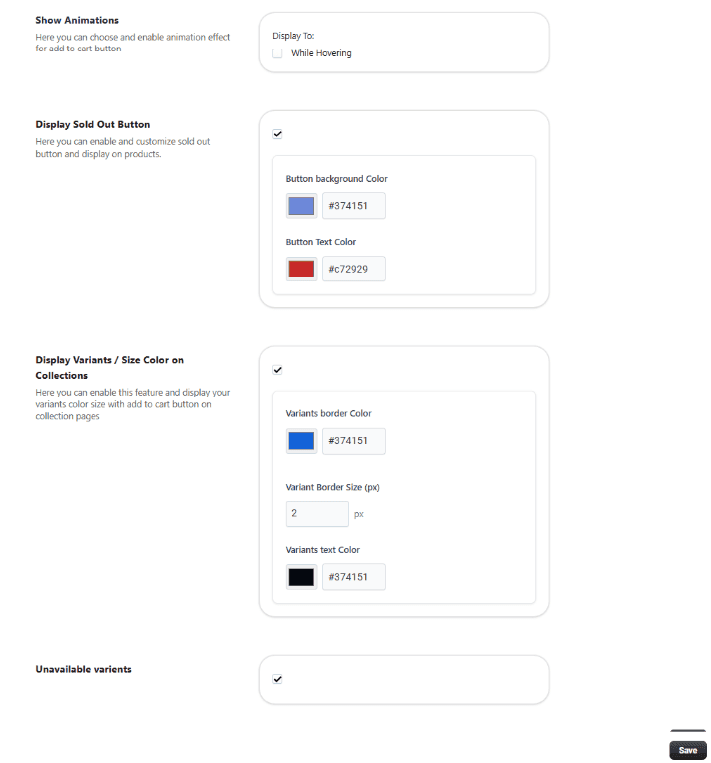
Save Settings Click Save to apply all configurations.
Step 2: Button Customization
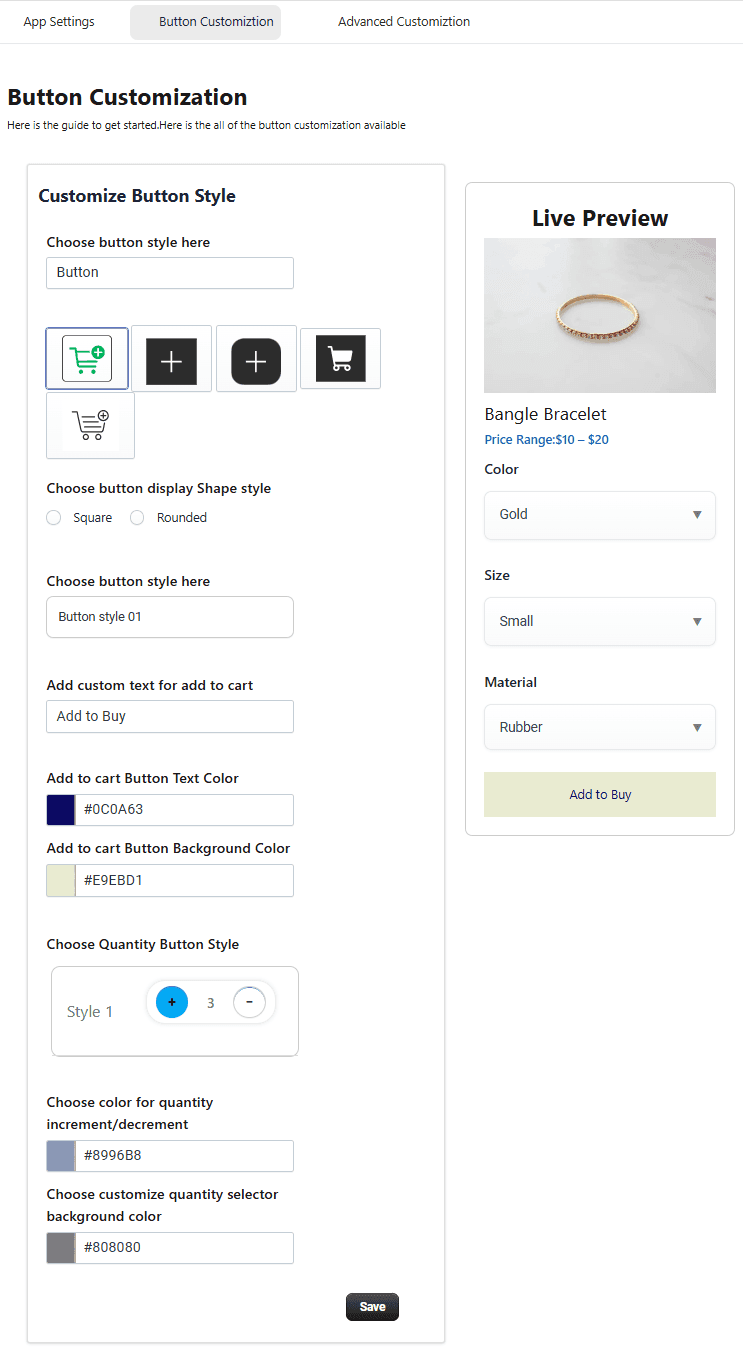
Customize the appearance of Add to Cart and Quantity buttons.
-
Button Styling Options: Button Style – Choose different layouts Button Shape – Square or rounded Button Text – Customize labels Background Color – Match your store branding Text Color – Adjust readability
-
Quantity Button Customization: Customize Increase (+) and Decrease (−) button colors Modify background and styling for better visibility
Step 3: Advanced Customization
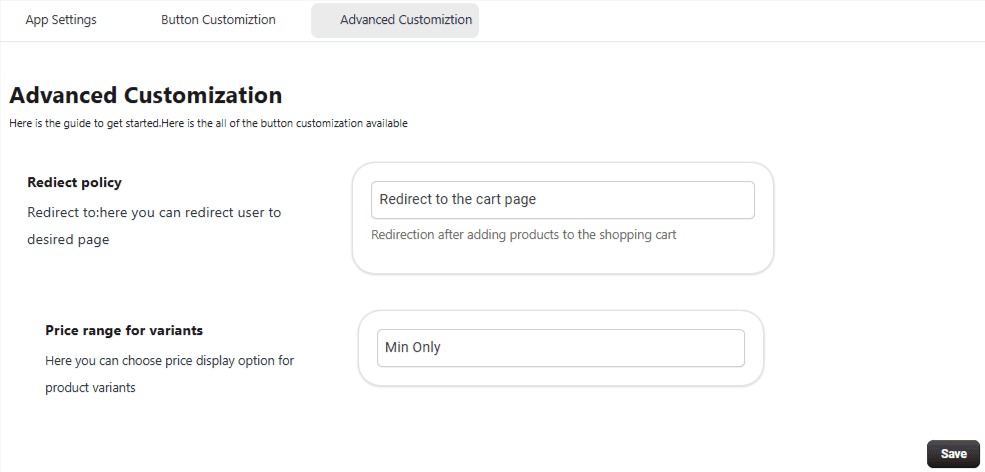
Redirect Options:
Choose where customers go after clicking Add to Cart:
- Cart Page
- Checkout Page
- Stay on Current Page
Price Range for Variants:
Enable to display price ranges for product variants, helping customers understand pricing differences.
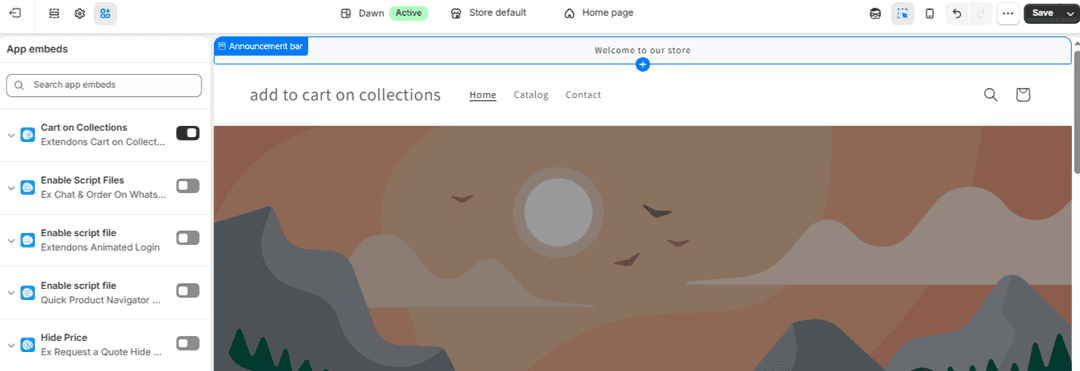
Step 4: App Embeds
To enable the Cart on Collections app on your storefront, you must activate its App Embed within your Shopify theme settings.
Steps
- Go to Shopify Admin.
- Navigate to Online Store → Themes.
- Click Customize on your active theme.
- Open App Embeds from the left sidebar.
- Locate Cart on Collections.
- Toggle Enable ON.
- Click Save.
Setup Complete
You have successfully:
- Enabled Add to Cart on collection pages
- Customized button styles and appearance
- Configured advanced behavior and redirection
Your store now offers a faster and more user-friendly shopping experience.
