App Embeds
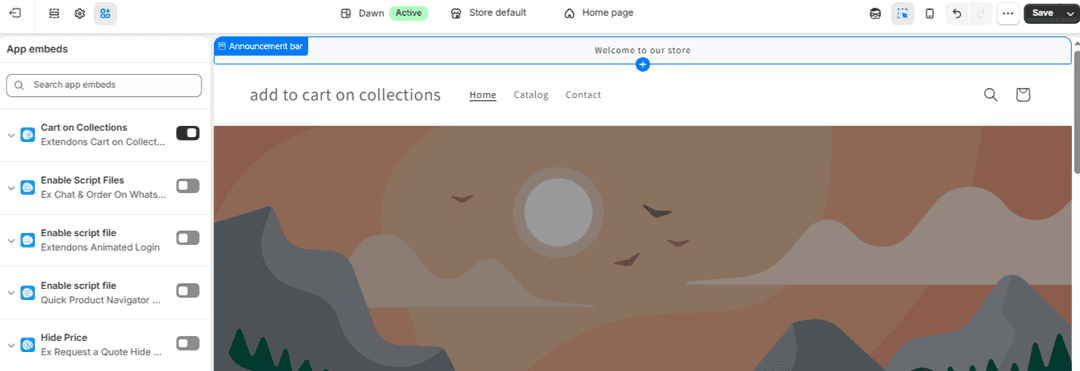
To enable the Cart on Collections app on your storefront, you must activate its App Embed within your Shopify theme settings.
Steps
- Go to Shopify Admin.
- Navigate to Online Store → Themes.
- Click Customize on your active theme.
- Open App Embeds from the left sidebar.
- Locate Cart on Collections.
- Toggle Enable ON.
- Click Save.
Setup Complete
You have successfully:
- Enabled Add to Cart on collection pages
- Customized button styles and appearance
- Configured advanced behavior and redirection
Your store now offers a faster and more user-friendly shopping experience.