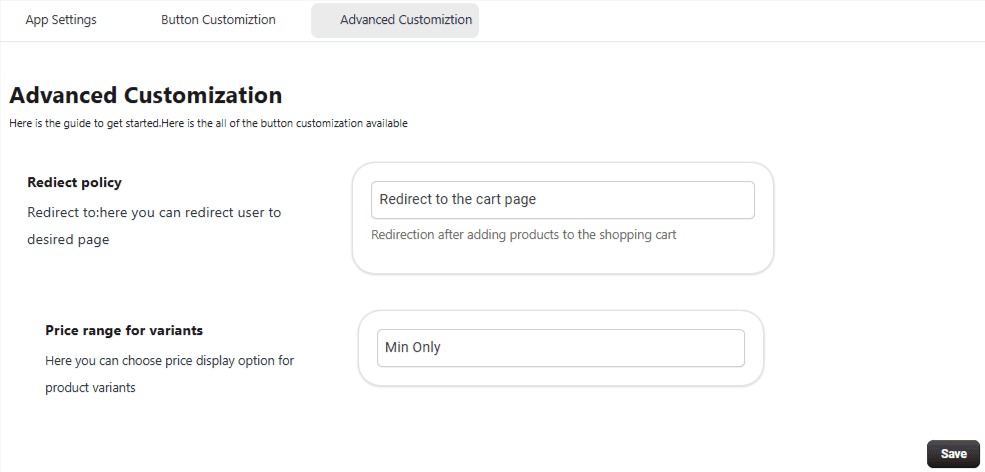
Step 2: Button Customization
Customize the appearance of Add to Cart and Quantity buttons.
-
Button Styling Options: Button Style – Choose different layouts Button Shape – Square or rounded Button Text – Customize labels Background Color – Match your store branding Text Color – Adjust readability
-
Quantity Button Customization: Customize Increase (+) and Decrease (−) button colors Modify background and styling for better visibility
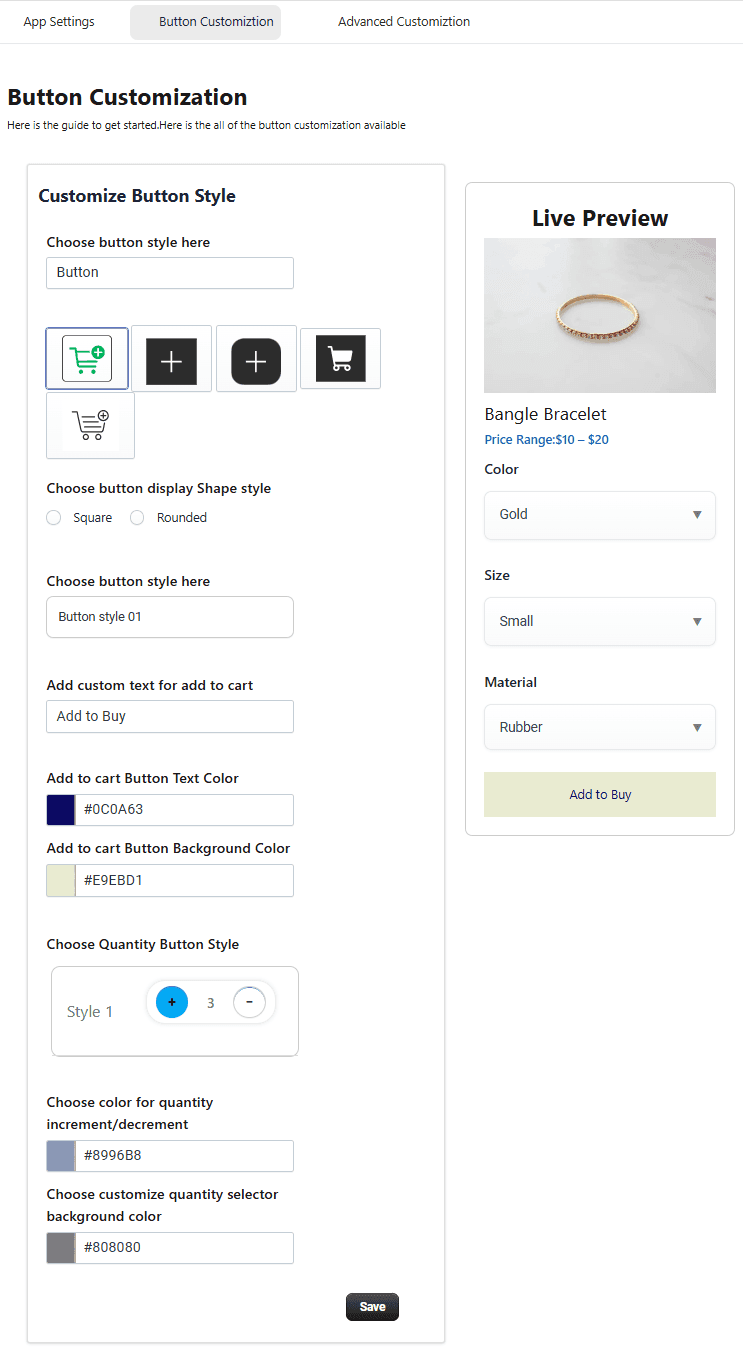
Advanced Customization
Redirect Options:
Choose where customers go after clicking Add to Cart:
- Cart Page
- Checkout Page
- Stay on Current Page
Price Range for Variants:
Enable to display price ranges for product variants, helping customers understand pricing differences.