Enable App Embed (For Shopify 2.0)
To display the app on your storefront, enable it in your theme settings.
Steps:
- Go to Shopify Admin.
- Navigate to Online Store → Themes.
- Click Customize.
- Open Theme Settings → App Embeds.
- Find the Pay What You Want App.
- Toggle Enable App Embed ON.
- Click Save.
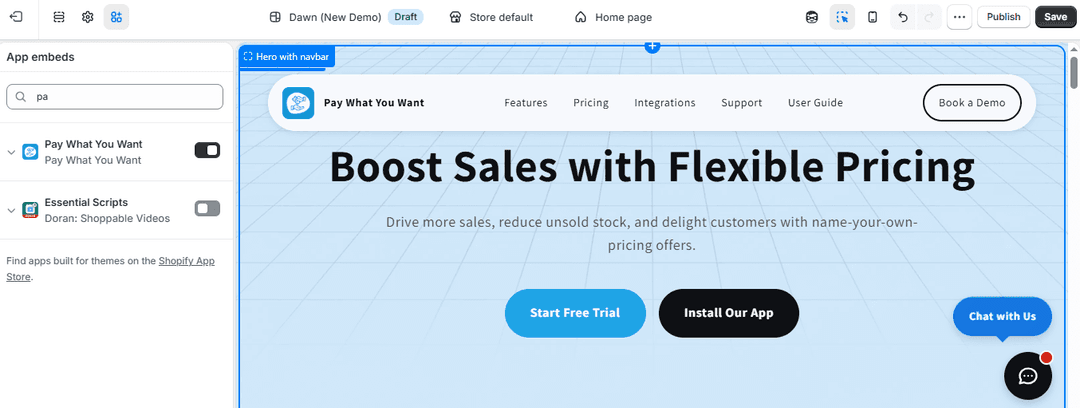
Note: Only enable this option if you are using a Shopify 2.0 theme.
Setup Complete
You have successfully:
- Enabled custom pricing functionality
- Configured pricing behavior and messages
- Created rules for products and collections
- Activated the app on your store
Customers can now enter their own price, improving engagement and flexibility in purchasing.
