Activate App on Theme (Enable App Embeds)
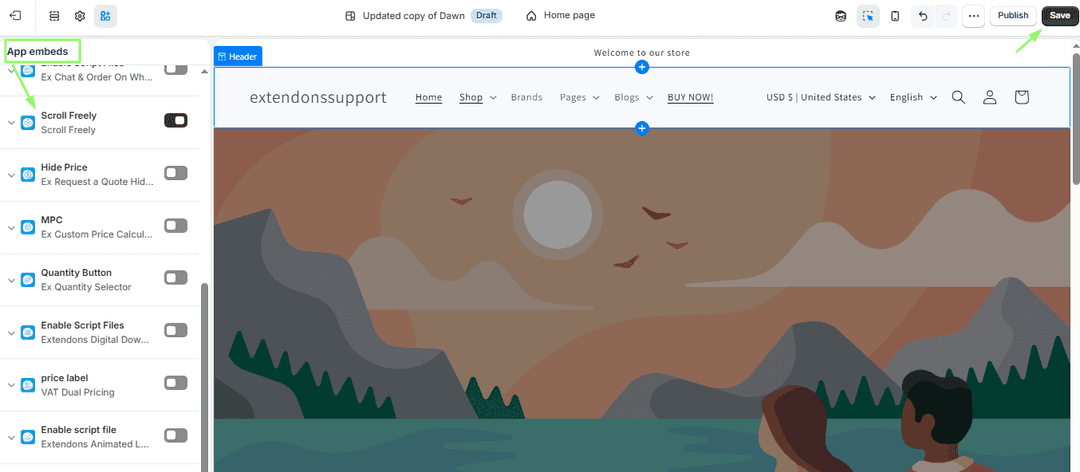
Enable the App Embed to activate the app’s features on your Shopify store. Once enabled, the app functionality will start working on your storefront.
Steps to Enable App Embed
- Go to Shopify Admin.
- Click Online Store → Themes.
- On your active theme, click Customize (Edit Theme).
- In the theme editor, open App Embeds.
- Find your app and toggle it ON.
- Click Save to apply the changes.
- Your app embed is now enabled on the store.