Step 2: Customize the Load More Button
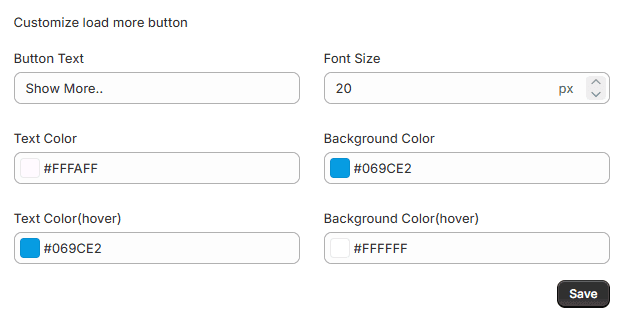
If you select Load More Button as the loading type, you can customize its design to match your store branding. The Load More Button appears at the bottom of the collection page and allows customers to load additional products without refreshing the page
Customize Load More Button
You can modify the visual appearance of the button including:
- Button Label – Change the text displayed on the button (example: Load More Products).
- Text Color – Select the color for the button text.
- Background Color – Set the button background color.
- Font Style – Choose a font that matches your store theme.
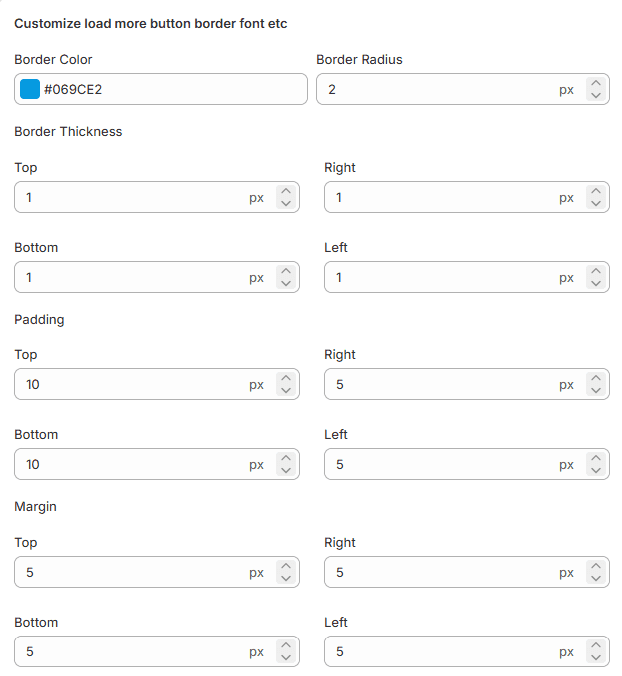
Border Color Set the color of the button border to make it stand out from surrounding elements.
Border Thickness Adjust the border width for each side of the button: Top, Left, Right, Bottom.
Button Padding Control the space inside the button between the text and border. Padding can be adjusted for Top, Left, Right, Bottom.
Margin Adjust the space outside the button to maintain proper spacing from other elements (Top, Left, Right, Bottom).
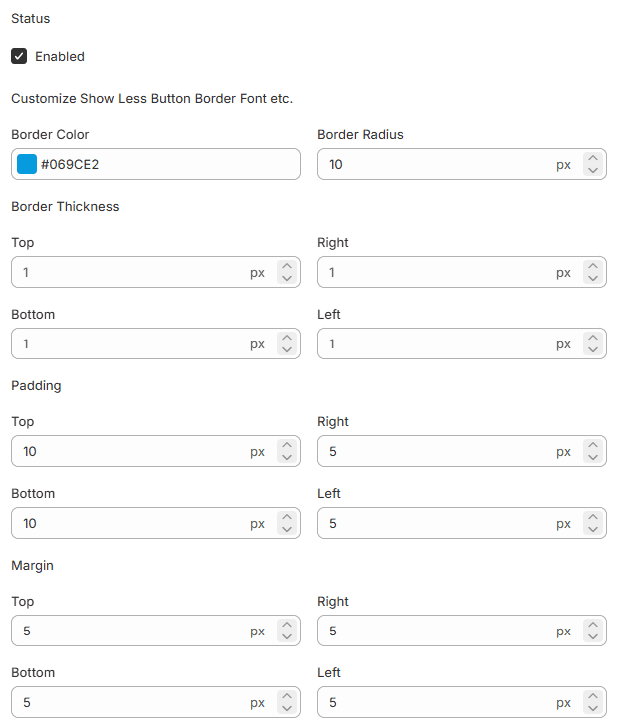
Customize the Show Less Button
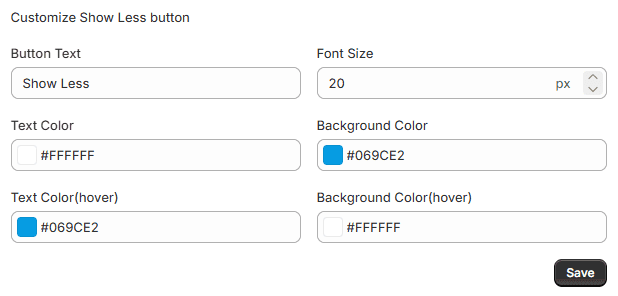
The Show Less Button appears when additional products have already been loaded on the collection page. Customers can click this button to collapse the extra products and return to the original product view.
This section allows you to modify:
- Button text
- Font style
- Border style
- Background color
- Text color
Border Color Set the border color of the Show Less button.
Border Radius Control how rounded the button corners appear.
Border Thickness Adjust the border width for Top, Left, Right, and Bottom.
Button Padding Set the inner spacing between the button text and border.
Margin Adjust the outer spacing around the button for proper alignment on the page
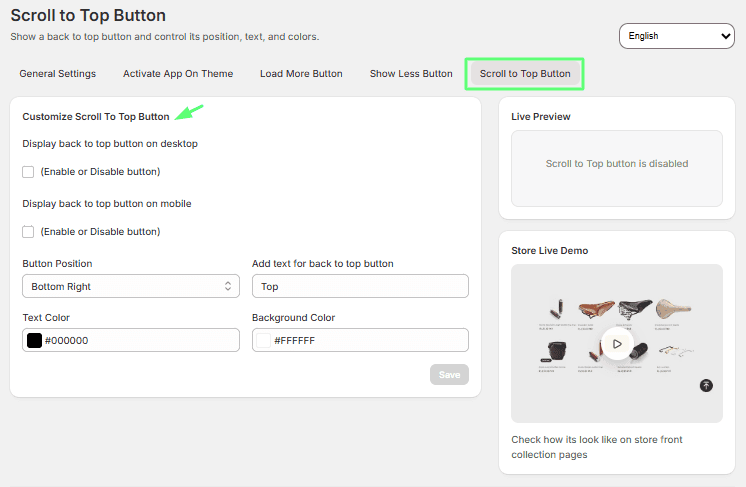
Customize the Back to Top Button
The Back to Top Button helps customers quickly return to the top of the page after scrolling through many products.
Enable / Disable Back to Top Button You can enable or disable the button depending on your store preferences. When enabled, the button will appear when customers scroll down the page.
Modify the button label and text color to match your store design.
Button Position Choose where the button appears on the page: Bottom Left, Bottom Right, or Top.
Button Color Customize the text color and background color to match your brand while keeping the button visible.