Enable App Embed (Activate on Theme)
To display dual pricing on your storefront, you must enable the app in your theme.
Steps to Enable App Embed
- Go to Shopify Admin.
- Navigate to Online Store → Themes.
- Click Customize on your active theme.
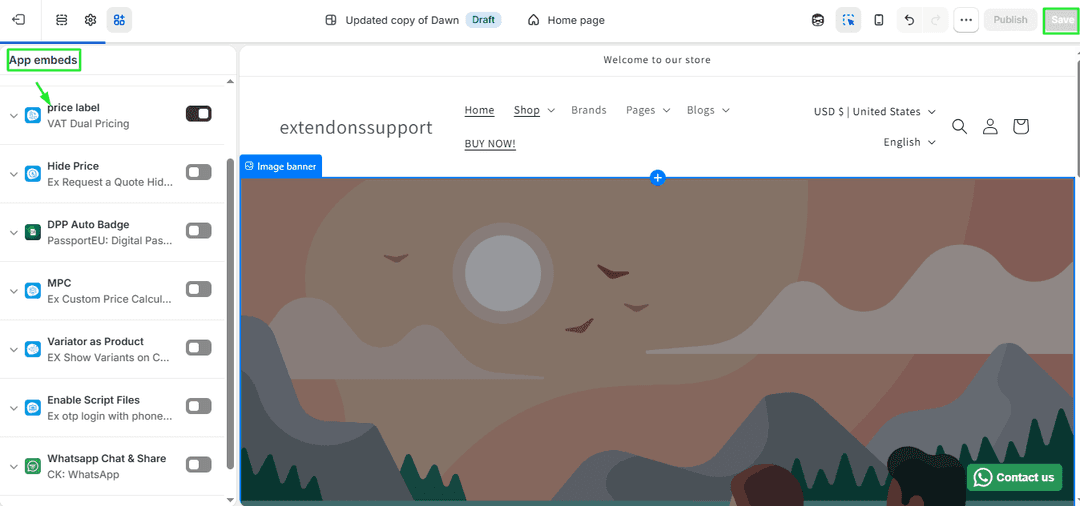
- Open Theme Settings → App Embeds.
- Locate VAT Dual Pricing App.
- Toggle Enable ON.
- Click Save.
Setup Complete
After completing these steps:
- VAT-inclusive and VAT-exclusive prices will be displayed
- Labels and colors will match your branding
- Rules will apply custom pricing logic
- The app will be active on your storefront
Your store is now ready to present clear and flexible dual pricing to customers
